
Optimize Your Team’s Time: Best Online Scheduling Tool

Select and Optimize Efficiency with Online Scheduling Tool - PunchPro
An online appointment scheduling tool is software that automates booking, availability management, and calendar coordination to save time and reduce missed appointments. This guide explains how scheduling tools work, what features matter, and how to align a scheduling strategy with business goals like improved customer experience and higher revenue capture. Many organizations struggle with double-booking, manual confirmations, and fragmented calendars; adopting a meeting scheduling tool or online appointment booking system resolves those pain points by centralizing availability and automating confirmations. You will learn which core capabilities to prioritize, how different types of scheduling tools serve specific use cases, and how integrations—CRM, payments, and video conferencing—raise operational efficiency. The article also compares free online scheduling tool tradeoffs with paid scheduling platforms and highlights emerging trends such as AI-driven scheduling optimization and hyper-personalization. Throughout, examples and semantic best practices show how to evaluate and implement schedule management tools so your team spends less time coordinating and more time serving clients.
What Is an Online Scheduling Tool and Why Is It Essential?
An online scheduling tool is a calendar management system that lets customers and teams view availability, book times, and receive automated confirmations without manual intervention. It works by exposing available time slots, syncing with existing calendars, and enforcing business rules such as buffer times and minimum notice, which reduces administrative overhead and appointment friction. The result is measurable time savings, fewer no-shows, and a more consistent client experience that supports retention and revenue growth. For organizations evaluating tools, the essential question is whether the platform reliably prevents conflicts and automates follow-ups; the next section breaks down the core capabilities that deliver those outcomes.
Defining Scheduling Tools and Their Core Benefits
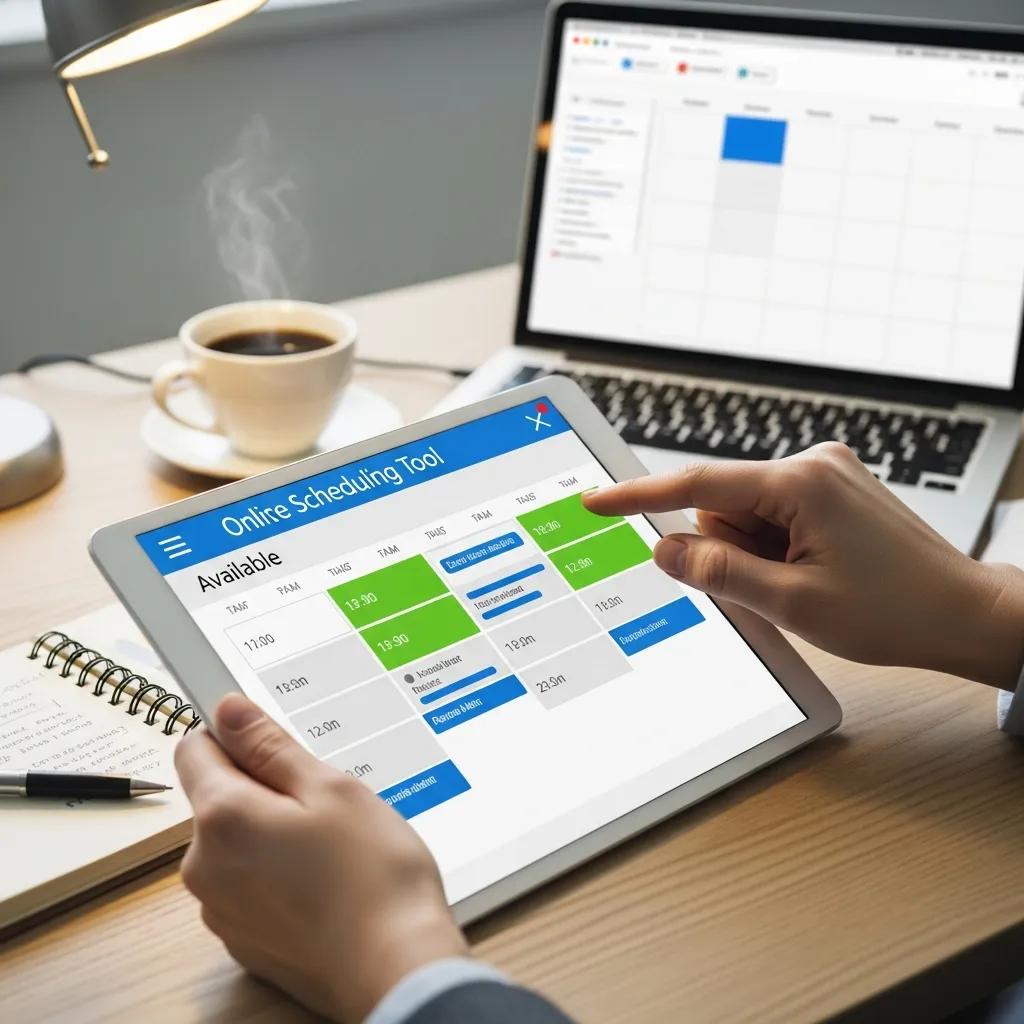
Scheduling tools include appointment scheduling software, meeting scheduling software, and employee scheduling systems that each emphasize different outcomes for businesses and teams. These platforms provide online booking pages, calendar synchronization, automated reminders, and reporting—features that reduce manual back-and-forth and increase booking conversion. For example, a client booking flow that surfaces real-time availability and accepts payment on booking shortens the sales-to-service timeline and improves cash collection. By mapping each capability to outcomes—time saved, fewer no-shows, and higher revenue capture—decision-makers can prioritize which features to test during trials. Understanding those mappings prepares readers to evaluate tools by their operational impact rather than surface features.
How Scheduling Tools Save Time and Reduce No-Shows
Scheduling tools reduce no-shows through confirmations, multi-channel reminders, and easy rescheduling workflows that remove friction for clients and staff. Automated confirmations instantly verify bookings while reminders—sent via email, SMS, or app notifications—prompt attendance and lower cancellation risk, which improves fill rates and staff utilization. Calendar sync prevents double-bookings by detecting conflicts and blocking unavailable slots across Google Calendar and Outlook, ensuring accurate availability is displayed to customers. These mechanisms combine to save staff hours previously spent confirming appointments and chasing missed shows, and they create predictable schedules that support capacity planning and better customer service.
Which Key Features Should You Look for in Scheduling Software?
A buyer’s checklist centers on features that directly reduce friction, protect revenue, and scale with team needs: automated calendar sync, booking page customization, reminders, payment processing, buffer times, reporting, and multi-user access. Each feature maps to an operational outcome—calendar sync prevents double-booking, reminders reduce no-shows, and payments capture revenue at booking—so weigh features by business impact rather than novelty. When comparing free online scheduling tool options to paid scheduling platforms, verify which features are included in free tiers and which require upgrades; understanding those tradeoffs clarifies true total cost of ownership. The following table summarizes core features, supported platforms, and typical availability in free versus paid tiers to help prioritize evaluations.
Different scheduling software features compared for platform support and plan availability:
- Key features to prioritize: Calendar synchronization: Keeps availability accurate across calendars and prevents double-bookings. Automated reminders and notifications: Reduces no-shows through timely confirmations and reminders. Booking page customization: Controls client experience and collects necessary intake data.
These prioritized features form the foundation of effective schedule management tools and point to areas where paid tiers often add operational value.
How Does Calendar Synchronization Improve Booking Accuracy?
Calendar synchronization improves booking accuracy by enabling two-way updates, conflict detection, and cross-platform visibility so both staff and clients see the same availability. Two-way sync means bookings made in the scheduling tool reflect in Google Calendar or Outlook immediately, while personal events blocked in those calendars prevent customers from booking those times. This mechanism reduces accidental double-bookings and scheduling churn that harms client trust and wastes staff time. In practice, teams verify sync settings during setup and test conflict rules to ensure meeting lengths, buffer times, and working hours are enforced consistently. Proper sync configuration is a basic but essential control that underpins reliable online appointment booking systems.
What Role Do Automated Reminders and Notifications Play?
Automated reminders and notifications maintain client engagement and minimize no-shows by delivering confirmations and reminders at strategic cadences tailored to the service and client preferences. Typical cadences include immediate confirmation on booking, a 24–48 hour reminder, and a 1-hour reminder for in-person or virtual meetings; SMS tends to have higher open rates than email for short-notice reminders. Customizable reminder content—preparing clients with instructions, cancellation policies, or required forms—also reduces day-of delays and improves service readiness. Tracking reminder performance and adjusting channels and timing based on no-show and reschedule metrics helps optimize reminder strategies for specific client segments. Understanding these tactics leads naturally to selecting tools that support multi-channel messaging and analytics.
How Do Different Types of Scheduling Tools Serve Your Needs?
- Types of scheduling tools and best-fit scenarios: Appointment scheduling software: Best for service businesses needing public booking and payment capture. Meeting scheduling software: Best for teams coordinating multi-person meetings and reducing email back-and-forth. Employee scheduling / shift management apps: Best for hourly workforces requiring shift swaps and payroll alignment.
These categorizations help decision-makers match tool capabilities to operational priorities and inform trial criteria for vendors.
What Are the Benefits of Appointment Scheduling Software?
Appointment scheduling software streamlines client-facing bookings by providing a public booking page, intake forms, payment capture at the time of booking, and automated reminders that together shorten conversion cycles and improve cash flow. For service businesses—healthcare clinics, salons, consultants—these systems convert website traffic into scheduled visits with minimal staff intervention, increasing booking velocity. Integrated payments enable deposits and cancellation fees to protect revenue, while intake forms gather essential information before the appointment, reducing administrative time at check-in. Tracking appointment outcomes and customer history inside the scheduling tool or connected CRM supports follow-ups and repeat business, which amplifies lifetime value.
How Does Employee Scheduling Software Optimize Workforce Management
Employee scheduling software optimizes workforce management through features like shift templates, availability windows, time-off requests, and payroll integration that reduce manual roster edits and ensure adequate coverage. By automating conflict checks and enabling shift swapping with manager approval, these tools lower administrative overhead and maintain labor compliance, which is vital for hourly operations. Reporting on coverage, overtime, and attendance helps managers balance labor cost and service levels while providing visibility to employees via mobile access. Implementing a workforce-focused scheduling app typically leads to faster schedule creation, fewer coverage gaps, and clearer audit trails for payroll reconciliation.
What Are the Best Free and Paid Scheduling Tools Available Today?
Choosing between free online scheduling tool options and paid scheduling platforms requires assessing feature limits, team size, and integration needs against budget constraints. Free plans are often suitable for solo professionals or small teams who need basic booking pages, email reminders, and single-calendar sync, whereas paid plans commonly add multi-user support, SMS reminders, advanced integrations, and analytics. The table below provides a neutral comparison of generic tool categories, their typical free limits, paid plan ranges, and common integrations to help you match offering types with organizational requirements.
Comparison of free vs paid scheduling tool categories:
- When to upgrade from a free plan: You need multi-user permissions and team calendars: Free plans often cap users. You require SMS reminders or advanced notifications: These commonly move to paid tiers. You want CRM or payment gateway integrations: Deep integrations typically require paid plans.
Which Free Booking Systems Offer Robust Features?
Free booking systems can offer surprisingly robust basics—online booking pages, email confirmations, and basic calendar sync—that make them practical for solo professionals and very small teams. Typical limitations include caps on monthly bookings or number of team members, limited analytics, and absence of SMS reminders or payment capture without transaction fees. For many small businesses, a free plan is an effective low-risk way to validate an online booking flow before committing budget to a paid scheduling platform. When free plans become constraining—e.g., missing CRM integration or team scheduling features—the organization should consider a paid tier or a tool that focuses on growth-oriented integrations.
How Do Paid Tools Compare in Features and Integrations?
Paid scheduling tools differentiate through advanced integrations (CRM, payment gateways, single sign-on), richer analytics, SLA-backed support, and enterprise controls like role-based access and compliance features. For example, paid tiers commonly enable two-way calendar sync, customizable reminder channels, and API access that reduce manual entry and support automated billing workflows. Businesses that need consolidated customer records, automatic invoice generation, or deep reporting often find paid plans deliver ROI through saved admin time and improved revenue capture. Evaluating paid options should include testing integration workflows and measuring the time saved or revenue protected to justify incremental subscription costs.
How Can Scheduling Tools Integrate with Other Business Applications?
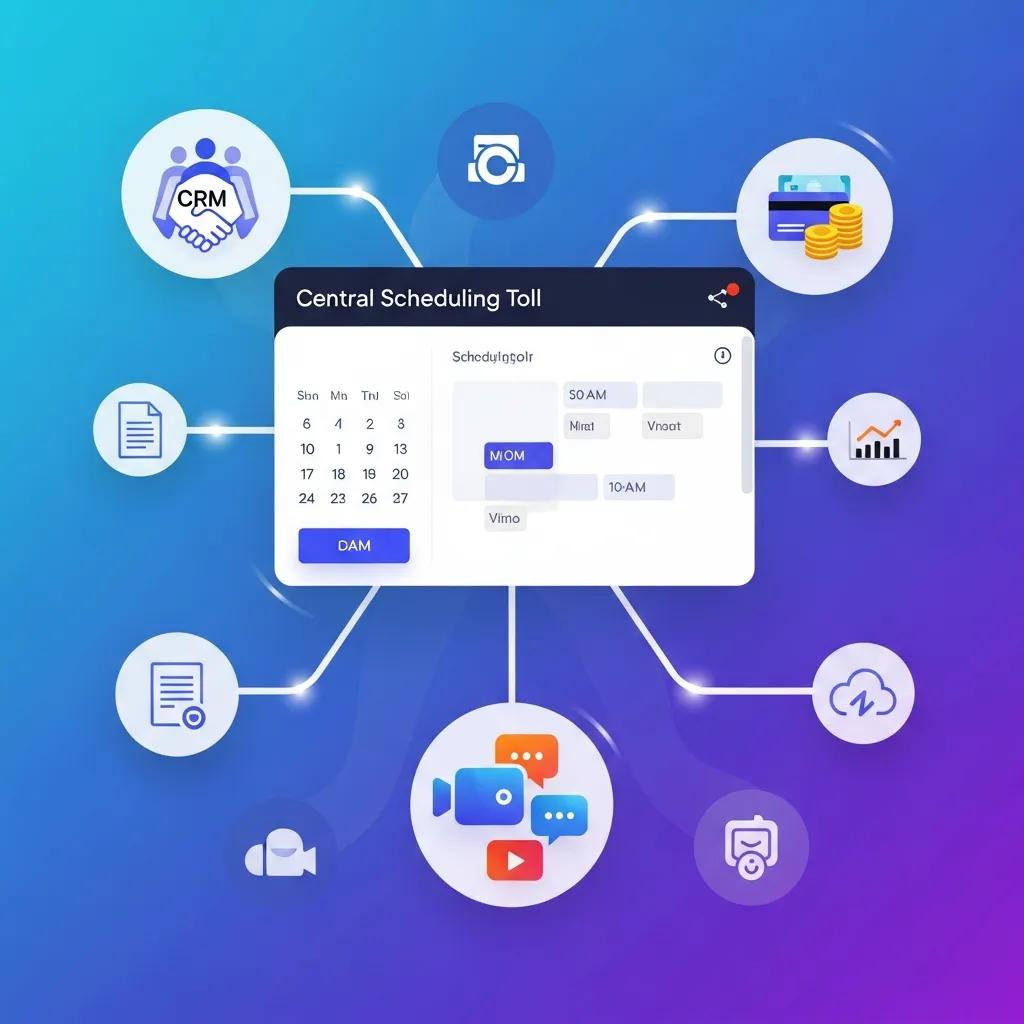
Scheduling tools integrate with CRM, payment gateways, video conferencing, and productivity tools to create end-to-end workflows that eliminate duplicate data entry and accelerate revenue recognition. Integration benefits include automatic lead creation in CRM on booking, immediate payment capture or deposit processing, and auto-generated virtual meeting links that populate calendar entries. Implementation options range from native connectors and API integrations to middleware tools that bridge systems, with security and API rate limits as important implementation considerations. The table below presents common integration pairings, the business benefit each delivers, and an example workflow to illustrate real-world value.
Integration pairings and example workflows:
- Key integration benefits to prioritize: Unified customer data: Avoid duplicate records and improve follow-ups. Automated billing: Reduce unpaid no-shows with deposits and receipts. Seamless virtual meetings: Save time by auto-creating meeting links and populating calendar events.
What Are the Benefits of CRM and Payment Gateway Integrations?
CRM integration captures booking data as a lead or contact record, preserving appointment history and enabling targeted follow-ups that increase conversion and retention. With payment gateway integration, businesses can take deposits, enforce cancellation fees, and issue automatic receipts, which improves cash flow and reduces no-shows driven by lack of commitment. Combined, these integrations enable workflows such as booking → CRM lead creation → payment capture → automated invoice and follow-up, which minimize manual intervention and strengthen the customer lifecycle. Evaluating how a scheduling tool handles data mapping, error handling, and reconciliation is critical before enabling live transactions.
How Do Video Conferencing and Productivity Tool Integrations Enhance Scheduling?
Video conferencing and productivity tool integrations reduce friction for virtual meetings by auto-generating meeting links, attaching dial-in details to calendar events, and sending notifications to team channels. Productivity integrations—such as task creation in team apps—ensure action items tied to meetings are visible and tracked, improving accountability after appointments. For distributed teams, these integrations streamline the end-to-end meeting experience and reduce the manual steps that often cause delays and confusion. Ensuring the scheduling tool supports these native connectors or reliable middleware reduces setup time and keeps the booking-to-meeting flow consistent for both staff and clients.
What Are the Emerging Trends in Scheduling Tools for 2025 and Beyond?
Emerging trends in scheduling tools focus on AI-driven optimization, hyper-personalization of booking experiences, and expanded automation across post-booking workflows to improve outcomes and operational efficiency. AI features include smart time suggestions, no-show risk scoring, and automated rescheduling that increase fill rates and reduce administrative labor. Hyper-personalization uses client data and behavior to recommend times, tailor reminders, and present context-aware booking pages that improve conversion. As we approach 2025, security and privacy, along with sustainability-conscious design, are also shaping vendor selection and implementation approaches.
- Top trends shaping scheduling tools: AI-driven scheduling optimization: Predictive suggestions and no-show risk models improve fill rates. Hyper-personalization: Tailored booking flows and reminders boost conversions and retention. End-to-end automation: Automated follow-ups, invoicing, and feedback loops reduce manual work.
These trends indicate that future scheduling platforms will increasingly combine predictive intelligence with integrated business workflows to deliver measurable operational improvements.
How Is AI Revolutionizing Scheduling and Reducing No-Shows?
AI revolutionizes scheduling by analyzing historical booking behavior, client responsiveness, and time-to-service metrics to suggest optimal appointment times and forecast no-show probabilities. Predictive models can flag high-risk bookings and trigger alternative workflows such as requiring deposits or extra reminders, which measurably reduce no-show rates and improve resource utilization. AI can also automate rescheduling by proposing alternative slots when cancellations occur, maintaining fill rates without human intervention. Tracking metrics like no-show percentage, bookings per week, and revenue per slot helps evaluate AI feature effectiveness and refine model parameters over time.
What Is the Impact of Hyper-Personalization and Automation in Booking Experiences?
Hyper-personalization increases conversion by tailoring booking pages and recommended times based on past behavior, client segment, or service preferences, which makes scheduling feel faster and more relevant to users. Automation extends personalization into post-booking workflows—customized reminders, pre-visit instructions, and targeted feedback requests—that improve attendance and customer satisfaction. Combined, personalization and automation drive higher retention and more efficient operations because clients receive timely, contextual communications that reduce uncertainty and encourage on-time attendance. Implementing these capabilities requires careful data governance to ensure personalization respects privacy while delivering demonstrable business value.
These strategic pairings illustrate how integrations and automation produce measurable operational gains; organizations should pilot selected features and measure KPIs to validate improvements.
- Final checklist before selecting a scheduling tool: Confirm two-way calendar sync and conflict detection to avoid double-bookings. Validate reminder channels and cadences that match client behavior and service needs. Test integrations with CRM, payments, and conferencing tools to ensure reliable workflows.
Using this checklist helps you choose a scheduling tool that delivers operational efficiency, reduces no-shows, and integrates smoothly into your existing business applications.