
Effortless Planning with Leading Labor Scheduling Software

Selecting the Best Labor Scheduling Software for Your Needs – PunchPro
Scheduling software coordinates when people work, when customers book appointments, and how organizations measure labor costs, and it directly affects productivity and compliance. This guide explains what scheduling software covers — from labor scheduling software that handles complex shift rules to appointment scheduling software for client-facing bookings — and who benefits, including HR teams, store managers, and service businesses. Readers will learn the core features to prioritize, how appointment and shift tools differ, when free scheduling software is viable, and how workforce management software ties into scheduling for accurate payroll and compliance. The article outlines a practical selection framework: evaluate core features, map integrations, weigh pricing and scalability, and verify compliance capabilities. Throughout, we’ll use terms like employee scheduling software, shift planning, time tracking, and labor compliance to frame actionable evaluation criteria and checklists. You’ll finish with concrete steps to choose a solution that reduces admin workload, lowers labor costs, and improves employee and customer experience.
What Are the Key Features of Employee Scheduling Software?
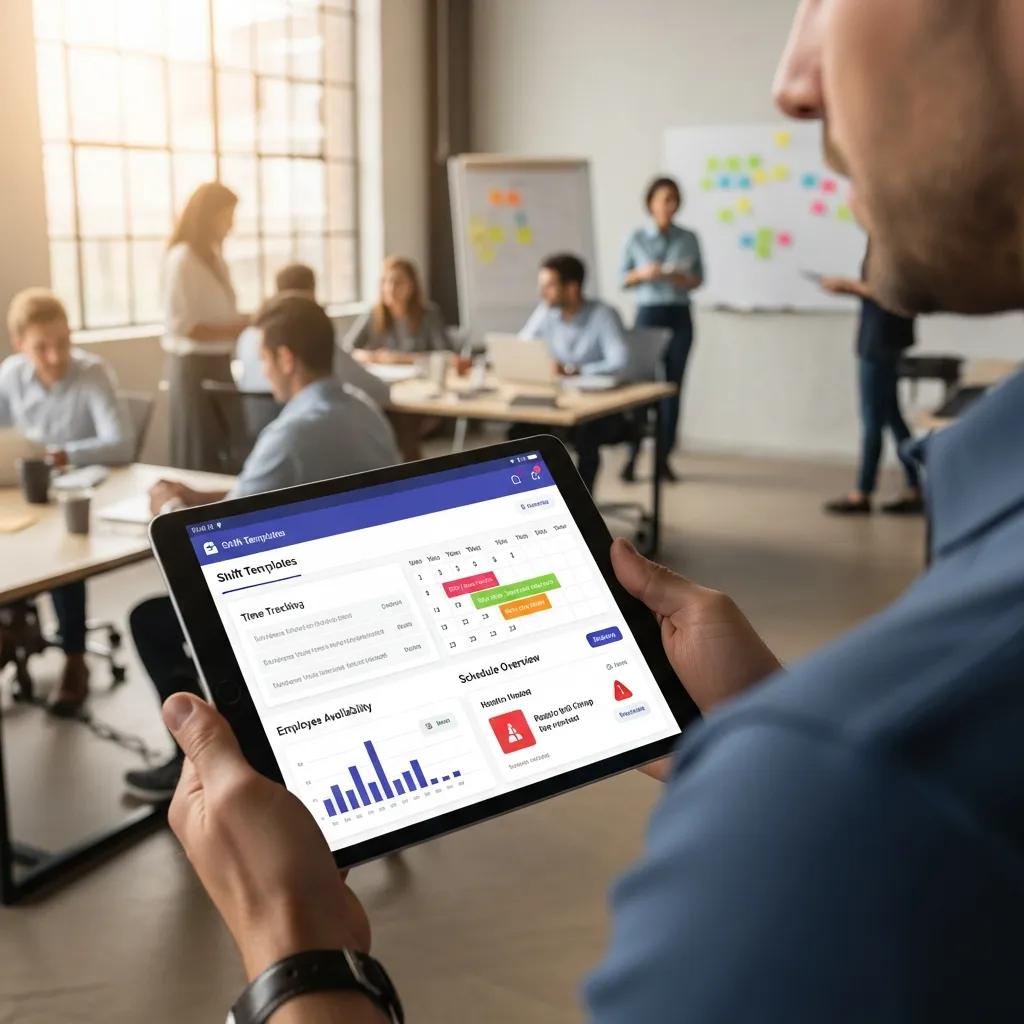
Employee scheduling software centralizes shift planning, availability, and time tracking so managers can create accurate rosters quickly, enforce rules, and reduce manual edits. The mechanism behind these systems is a combination of rule-based engines (for overtime and qualifications), templates (for recurring patterns), and integrations (for time clocks and payroll exports) that together produce predictable schedules and measurable reductions in labor costs. Key benefits include faster shift creation, fewer coverage gaps, and traceable audit logs for compliance, which together improve operational reliability.
Below is a concise list of the primary features hiring managers should evaluate when comparing systems.
Employee scheduling software offers a standard feature set:
- Shift Creation & Templates: Fast, repeatable schedules built from reusable templates that reduce manual entry.
- Availability & Time-Off Management: Employee availability calendars and requests routed into scheduling workflows.
- Automated Assignments & Rule Engines: Auto-scheduling that applies work rules, certifications, and overtime limits.
- Time Tracking & Clock Integration: Clock-in/out capture via mobile apps or hardware that exports to payroll.
- Communication Tools: In-app messaging, push notifications, and announcements to notify staff of changes.
- Reporting & Analytics: Labor cost reports, coverage metrics, and shift-fill rates to inform staffing decisions.
The list above highlights features; next we’ll compare how those features deliver value across business sizes with a compact EAV-style comparison to guide selection.
Different features deliver distinct value depending on team size and complexity, which helps prioritize must-haves versus nice-to-haves when evaluating vendors.
This table shows which features drive value by buyer goal; with that framework established, consider how these capabilities improve overall workforce management in practice.
How Does Employee Scheduling Software Improve Workforce Management?
Employee scheduling software improves workforce management by automating routine tasks, enforcing labor rules, and providing data that informs staffing decisions, which together reduce costs and increase coverage reliability. By converting availability, certifications, and labor budgets into scheduling constraints, software reduces manual errors and the time managers spend editing rosters. Examples include automated reassignments when shifts are unfilled, alerts that prevent overtime before it occurs, and analytics that show under- or over-staffing by shift. These mechanisms translate to quantifiable outcomes such as fewer last-minute shift gaps, reduced overtime expenses, and improved employee satisfaction from predictable schedules. Understanding these operational gains helps organizations move from reactive staffing to proactive workforce optimization.
This operational improvement connects directly to the tools used for shift planning and time tracking, which must align technically and procedurally to realize the promised benefits.
Which Tools Support Shift Planning and Time Tracking?
Shift planning and time tracking rely on a mix of native features and integrations; common tools include mobile scheduling apps, time clocks (hardware or kiosk), biometric terminals, and third-party time-capture systems that integrate with payroll. Native time tracking keeps data in the scheduling system, simplifying real-time labor analytics, while third-party integrations often provide advanced hardware compatibility and audited time-stamp reliability. For remote or field work, mobile apps with geofencing ensure employees clock in at authorized locations, while export formats like CSV or standardized payroll connectors simplify transfers to payroll or HRIS. Choosing between native and integrated time tracking depends on needs for hardware support, legal auditability, and whether real-time labor cost visibility is required.
Selecting the right mix of time capture tools ties into appointment workflows for client-facing businesses, which we’ll address next in how to select appointment scheduling software.
How to Select the Best Appointment Scheduling Software for Your Business?

Appointment scheduling software manages bookings, client records, and reminders to improve customer experience and reduce no-shows, and the best choice aligns with your booking patterns, team complexity, and integration needs. The mechanism that drives value is matching product capabilities—multi-staff calendars, buffer times, recurring appointments—to business flows, then validating integrations with payments, CRM, and calendar sync to create a seamless customer journey. Core benefits include 24/7 booking availability, automated confirmations, and reduced admin time handling reschedules. Use the following step checklist to evaluate appointment scheduling options in a practical, prioritized order.
Follow this ordered decision checklist to select appointment scheduling software:
- Map your appointment flows: List single vs multi-staff bookings, recurring sessions, and buffer needs to match feature sets.
- Prioritize customer experience features: Ensure online booking, calendar sync, and automated reminders are available to lower friction.
- Verify integrations: Confirm connectors for payments, CRM, and calendar systems to avoid manual reconciliation.
- Check security and data privacy: Ensure client data handling meets legal expectations for your industry and location.
- Pilot with staff and customers: Run a short pilot to validate actual booking behavior and refine configurations.
This checklist gives a practical path from needs mapping to pilot; next we examine the measurable benefits of moving appointments online.
What Are the Benefits of Online Appointment Scheduling?
Online appointment scheduling increases bookings and convenience by making availability visible 24/7 and automating confirmations, which reduces administrative load and missed appointments. The mechanism is simple: customers book directly, triggering automated reminders and calendar events that lower friction and encourage attendance. Measurable outcomes often include a higher booking volume, fewer phone-based scheduling tasks, and a drop in no-show rates when reminders and confirmations are consistent. For businesses with recurring clients—such as clinics or salons—online tools support repeat bookings and client history, enhancing retention and lifetime value. These operational improvements free staff time for higher-value interactions and allow managers to analyze demand patterns for smarter staffing.
Reducing no-shows and friction also depends on specific customer-facing features; the next subsection lists those features and how they work.
Which Features Enhance Customer Experience and Reduce No-Shows?
Customer experience features like two-way SMS reminders, easy rescheduling, and prepayment options reduce no-shows by increasing commitment and lowering friction for clients. Two-way reminders let clients confirm or cancel, enabling automatic reallocation of freed slots; prepayment or deposits create financial commitment that deters last-minute cancellations. Simple, mobile-first booking flows and calendar integration remove friction at the point of booking, while staff-side features such as waitlists and automated shift offers help fill cancelled slots quickly. Combined, these features improve appointment utilization and provide predictable revenue streams for appointment-based businesses.
These customer-facing behaviors influence decisions about whether to use free scheduling software or invest in a paid platform, which we explore next.
What Are the Advantages of Using Free Scheduling Software?
Free scheduling software or free tiers can be a cost-effective way for very small teams or new appointment businesses to automate basic scheduling tasks, but they often include strict limitations. The core advantage is immediate cost savings and fast setup, allowing organizations to test online booking or simple shift templates without upfront subscription fees. However, typical limitations include user caps, lack of advanced automation, restricted reporting, and few or no integrations with payroll or CRM. For early-stage teams or single-location appointment providers, free tools may be sufficient; as complexity grows, these limits create administrative overhead and hidden costs in manual workarounds. Below is a short pros/cons summary to determine when free scheduling software is appropriate.
Consider these pros and cons when evaluating free scheduling software:
- Pros: Zero licensing cost for basic scheduling and bookings.Rapid onboarding and straightforward UX for small teams.Useful for pilots, single-location use, or part-time operations.
- Cons: Limited users, features, and reporting capabilities.Few integrations with payroll, HRIS, or payment gateways.Can create manual workarounds that scale poorly as needs grow.
When deciding, use the EAV-style comparison below to see which free tools and limitations match common small-business scenarios.
Which Free Scheduling Tools Offer Robust Functionality?
Some free scheduling tools provide surprisingly robust capabilities for simple appointment or small-team shift management, offering essentials like online booking, basic reminders, and simple availability management without cost. The mechanism of value is often a freemium model that unlocks core features for small operations while reserving advanced automation, analytics, and integrations for paid tiers. For scenarios where booking volumes are low and integration needs are minimal, these free tiers can deliver immediate utility and fast adoption. However, businesses should catalog required integrations and reporting needs before committing to a free tool, because migrating later typically entails manual data export and reconfiguration. When free tools start to cause fragmented data or manual reconciliation, it’s a signal to re-evaluate paid alternatives.
When Is It Time to Upgrade from Free to Paid Scheduling Software?
Upgrade triggers from free to paid scheduling software include crossing user or booking volume limits, needing payroll or CRM integrations, and spending excessive manager hours on manual edits that negate license savings. The mechanism for deciding to upgrade is to measure administrative overhead, no-show costs, and the value of integrations: if manual reconciliation or overtime costs exceed the subscription price, an upgrade likely pays for itself. Concrete thresholds include reaching user caps, needing multi-location support, or requiring compliance reporting that free tiers lack. Organizations should track metrics such as hours spent scheduling, average overtime per pay period, and no-show rates to create a business case for paying for automation and integrations.
How Does Workforce Management Software Integrate with Scheduling Solutions?
Workforce management software integrates with scheduling solutions by synchronizing time tracking, payroll, HRIS, and learning management data to provide a unified view of labor, compliance, and costs. The integration mechanisms include APIs, native connectors, and secure file transfers that ensure schedules, time punches, and pay rules flow into downstream systems without manual intervention. Unified data enables forecasting, accurate payroll calculations, and automated compliance checks, which reduce payroll errors and audit risk. Companies that combine scheduling with broader workforce management can shift from reactive corrections to predictive staffing based on historical demand and labor cost analytics. Below is a short integration mapping that highlights common connector types and their primary benefits.
Common integration methods and their primary benefits include:
- APIs for Real-time Sync: Keeps schedules, punches, and leave data current across systems for accurate labor costing.
- Native Connectors: Simplifies setup and reduces maintenance by relying on vendor-built integrations.
- Batch Exports/SFTP: Provides secure bulk data transfers where real-time sync is unnecessary or unsupported.
- Middleware/Integration Platforms: Bridges incompatible systems and centralizes data transformation and error handling.
What Are the Benefits of Combining Scheduling and Workforce Management?
Combining scheduling and workforce management produces operational and strategic benefits by aligning schedules with actual labor costs, training needs, and compliance requirements, which increases forecasting accuracy and reduces administrative effort. The mechanism is a single source of truth for schedules, time, skills, and certifications that lets managers run “what-if” scenarios and anticipate staffing gaps based on demand patterns. Example outcomes include reduced payroll errors through automated pay-rule application, fewer compliance violations due to enforced break/overtime rules, and better training deployment using integrated LMS indicators. A simple ROI scenario: automating time capture and payroll exports often reduces payroll processing time and error correction, which recovers administrative hours that can be reallocated to planning or customer service.
Which Features Support Labor Compliance and Reporting?
Scheduling features that support labor compliance include overtime and break enforcement, role-qualification checks, audit-ready attendance logs, and customizable compliance reports designed to meet regulatory obligations. The mechanism is rule enforcement at scheduling time—preventing illegal shift patterns, flagging excessive hours, and capturing detailed time-stamped events that form the audit trail. Common report types include pay-period summaries, overtime detail, and exception reports for missed breaks or unauthorized work, which can be exported to support legal or union inquiries. Customizable compliance reporting combined with immutable audit logs reduces exposure to fines and streamlines internal audits, making these features indispensable for organizations with complex labor laws or collective bargaining agreements.
Ensuring these compliance features align with long-term IT and operational strategies is part of evaluating provider capabilities in the next section.
What Are the Top Criteria to Evaluate Scheduling Software Providers?
When evaluating scheduling software providers, the top criteria are pricing models and total cost of ownership, scalability across users and locations, integrations with payroll/HR/CRM, user interface and adoption, and quality of customer support and onboarding. The mechanism behind effective evaluation is matching each vendor’s strengths against long-term operational needs, factoring in hidden costs such as setup fees, premium modules, and integration work. Usability and admin controls directly affect adoption rates; a steep learning curve increases hidden labor costs. Use the checklist below to make a structured vendor comparison and prioritize criteria aligned with growth plans.
Use this numbered checklist to evaluate providers quickly:
- Pricing Model & TCO: Understand per-user vs per-location pricing, setup fees, and add-on costs to forecast total ownership.
- Scalability: Verify support for additional users, multi-site deployments, and enterprise features you may need as you grow.
- Integrations: Confirm native connectors or APIs for payroll, POS, HRIS, and calendars to avoid manual work.
- Usability & UI: Evaluate manager and employee workflows for ease of use and minimal training requirements.
- Support & Onboarding: Check available onboarding services, SLA commitments, and self-service resources for ongoing enablement.
This checklist narrows vendor selection to those that meet operational and financial thresholds; to make comparisons easier, the table below translates provider features into buyer takeaways.
This comparison helps translate vendor claims into practical buyer decisions; the next subsections examine pricing models and support considerations in detail.
How Do Pricing Models and Scalability Affect Your Choice?
Pricing models such as per-user, per-location, or flat-tier affect cost predictability and the ability to scale without surprise fees, and the choice depends on expected headcount growth and geographic footprint. Per-user models can be economical for small teams but scale up quickly; per-location pricing is often better for multi-site operations with many frontline workers, while flat-tier models can simplify budgeting for mid-market teams. Hidden costs—such as integration setup, premium modules for advanced automation, and priority support—can materially increase total cost of ownership, so include those in any ROI calculation. A short cost-evaluation checklist should compare current headcount, projected growth, required integrations, and the expected value of automation to estimate breakeven timing.
Understanding pricing and scalability informs expectations for user growth and vendor selection, which ties directly into the importance of UI and support.
What Role Does Customer Support and User Interface Play?
Customer support quality and a well-designed user interface strongly influence adoption, training time, and ongoing operational efficiency; poor UX or weak support increases administrative burden and scheduling errors. The mechanism is straightforward: an intuitive UI reduces training time for managers and employees, while responsive onboarding and SLA-backed support minimize downtime during transitions and configuration changes. Look for vendors with structured onboarding, role-based training, and comprehensive self-service resources such as knowledge bases and tutorials. Strong support and a simple, mobile-friendly UI improve long-term ROI by increasing adoption rates and reducing manual support requests.
Selecting a vendor with the right combination of pricing, integrations, UI, and support ensures the scheduling solution delivers sustained operational value and adaptability as needs evolve.
- Final note: Evaluations should include trial periods or pilots to validate real-world workflows with staff and customers before committing to a long-term contract.
This completes the buyer-focused criteria and helps tie technical requirements back to operational goals, finishing the set of essential decision tools for selecting scheduling software.