
Boost Efficiency with Time Clock Management Software

Optimize Attendance Tracking & Payroll Accuracy with PunchPro
Time clock management refers to the processes and systems organizations use to capture, validate, and manage employee work hours, with the primary goal of improving payroll accuracy and operational efficiency. Effective employee time clock software automates clock-ins and timesheet generation, applies configured overtime and break rules, and integrates recorded hours into payroll systems, reducing manual entry errors and disputes. This guide explains core features, compliance requirements, industry fit, and future trends so managers can choose and deploy the right solution for their workforce. Readers will learn how GPS and biometric tools reduce time theft, which integrations streamline pay runs with platforms like QuickBooks and ADP, and how analytics and AI are shaping attendance management through 2025. The article is structured to cover key features, payroll integration mechanics, compliance essentials, recommended systems for small businesses and industries, productivity and anti-theft tactics, and near-term technology trends that affect time and attendance systems.
What Are the Key Features of Employee Time Clock Software?
Time clock management software centralizes the capture and validation of employee hours through core modules such as clock-in/out, digital timesheets, scheduling, and exportable payroll reports that improve accuracy and auditability. These features work by recording an immutable event log of time punches, applying configured rules for overtime and breaks, and producing structured export files that reduce manual re-entry into payroll systems. Modern systems layer advanced capabilities—GPS tracking for field verification, biometric authentication to prevent buddy punching, geofencing, and mobile apps—to support distributed teams while maintaining compliance. Below is a concise list of the top feature categories and why they matter when selecting a time and attendance system.
This list highlights primary functionalities to evaluate when comparing systems:
- Core time capture: clock-in/out and timesheet generation for accurate hours worked.
- Compliance rules engine: automated overtime, break enforcement, and rounding policies.
- Mobility and geo-tools: mobile apps, GPS, and geofencing for remote and field teams.
- Anti-fraud measures: biometrics, photo-on-clock, and audit logs to prevent time theft.
These features form the backbone of reliable time clock management; understanding them leads naturally to a closer look at how GPS and biometrics specifically reduce errors and fraud.
This table summarizes how key features operate and the measurable value they deliver.
This table clarifies how each feature maps to accuracy, compliance, and ROI; next we examine the privacy and operational trade-offs of GPS and biometric approaches.
How Do GPS Tracking and Biometric Authentication Improve Time Tracking?

GPS tracking and biometric authentication each address specific failure modes in traditional timekeeping: GPS ties an event to a verified location, while biometrics ties an event to a verified person. GPS tracking works by recording a geotag at clock-in and can enforce geofences so employees can only clock in when physically within an approved area, which is particularly useful for field service, landscaping, and delivery teams. Biometrics—fingerprint or facial recognition—prevents buddy punching and shared credential misuse because biometric traits are unique and non-transferable; this reduces payroll overpayments and improves headcount integrity. Privacy and security must be designed into deployments: retain minimal location history, encrypt biometric templates, and document retention policies to meet regulatory expectations. These protections ensure that the legitimacy gains from GPS and biometrics do not create legal or trust problems for employers and employees.
The challenges of traditional attendance tracking, such as manual errors and potential fraud, have been a long-standing concern for organizations.
What Role Do Mobile Apps and Web Portals Play in Modern Time Clock Systems?
Mobile apps and web portals provide distinct but complementary access channels: mobile apps enable on-the-go clock-ins with GPS capture, push notifications, and offline mode for intermittent connectivity, while web portals give managers centralized control for approvals, bulk edits, and detailed reporting. Mobile-first workflows are crucial for remote, hybrid, and field teams because they permit reliable clock-ins, attachments (photos or job notes), and real-time alerts when exceptions occur. Web portals support auditability and administrative scale through role-based access, mass timesheet approvals, and export utilities for payroll systems. Together these channels improve accuracy and responsiveness: mobile app captures the moment of work, and the web portal ensures consistent policy enforcement and payroll-ready exports.
How Does Time Clock Management Enhance Payroll Time Management and Accuracy?
Time clock management enhances payroll accuracy by automating the chain from time capture to payroll export: reliable capture reduces manual transcription errors, a rules engine enforces overtime and break policies before pay calculations, and structured exports eliminate duplicate data entry into payroll platforms. The mechanism is straightforward—automated capture creates validated timesheets that flow through approval workflows, exceptions are flagged and resolved before payroll, and export files map pay codes and employee IDs into payroll systems—resulting in fewer corrections and faster payroll cycles. Organizations often measure benefits in error reduction percentages and processing time saved per pay period, with typical outcomes including fewer retroactive pay adjustments and reduced audit time. The next subsection lists typical integration types and their tangible outcomes for payroll workflows.
Common payroll integration types and their outcomes include:
- Direct API integrations that sync validated timesheets into payroll systems to cut double entry.
- Flat-file exports (CSV) that map time data to payroll codes for systems without API support.
- Middleware/connector integrations that translate fields and manage user mapping across systems.
These integration types clarify how data moves from time clocks to payroll, which leads into a practical comparison of integration mechanics and measurable gains.
This breakdown helps decision-makers choose the right integration style based on their payroll platform and IT capacity. Below are targeted benefits when integrating with common payroll systems.
What Are the Benefits of Integrating Time Clock Data with Payroll Systems Like QuickBooks and ADP?
Integrating time clock data with payroll platforms such as QuickBooks and ADP delivers three primary benefits: elimination of double entry, standardized pay-code mapping, and faster reconciliation between labor costs and payroll expenses. Direct integrations allow approved hours to flow automatically into the payroll provider, reducing human transcription errors and lowering the frequency of misclassified hours. Integrations also enable granular reporting that ties labor spent by project or department directly to payroll costs, improving cost visibility for managers. Before integration, confirm mapping of employee IDs, pay codes, and rounding/overtime rules; preparing this mapping reduces implementation friction and prevents mismatches during the first payroll runs.
How Does Automated Timesheet Management Reduce Payroll Errors and Administrative Burden?
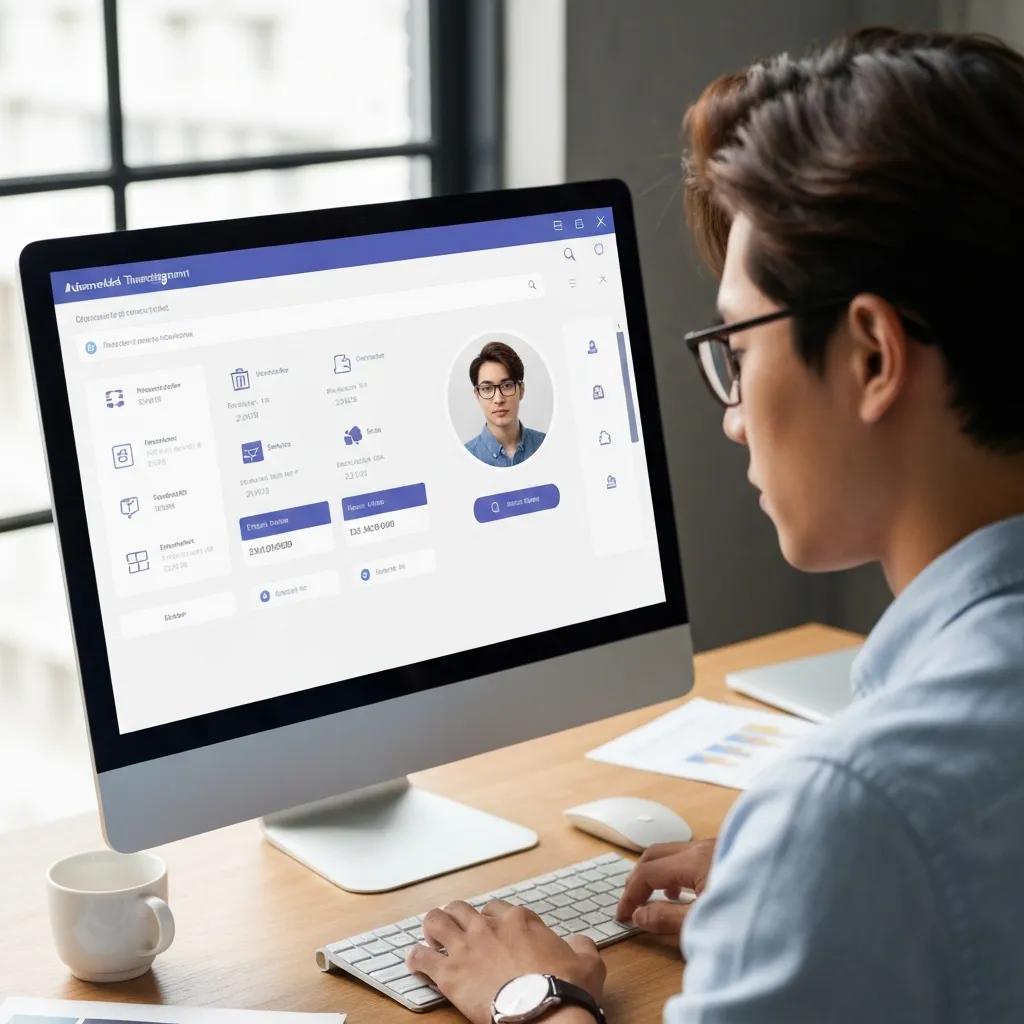
Automated timesheet management reduces payroll errors by applying validation rules at the point of timesheet approval—automatically flagging exceptions like missed punches, overlapping shifts, or potential overtime before payroll processing. Exception workflows route flagged items to supervisors for review with supporting evidence such as photo timestamps or location data, shortening resolution cycles. Automation slashes administrative time by eliminating repetitive manual corrections and enabling batch approvals for recurring patterns, freeing HR and payroll staff to focus on exceptions rather than data entry. These efficiencies translate into measurable savings: fewer payroll adjustments, reduced audit time, and improved employee trust in pay accuracy.
For organizations evaluating solutions, a brief vendor integration callout illustrates practical ROI examples in real deployments. Vendors such as Buddy Punch, Connecteam, Jibble, Time Clock Wizard, and OnTheClock commonly advertise integrations with major payroll systems, enabling synchronized employee records and streamlined export workflows that reduce reconciliation time and improve payroll accuracy. These references show typical vendor approaches to integration without prescribing a single product choice.
What Are the Compliance Requirements for Time and Attendance Systems?
Time and attendance systems must support core compliance requirements including accurate recordkeeping, correct overtime calculations per the Fair Labor Standards Act (FLSA), state-specific labor rules, and retention of audit logs to resolve disputes. The system should automatically apply overtime thresholds, track compensable work time, and produce immutable logs of punches and edits to meet regulatory inquiries. Configurable rules are essential because many states and industries impose unique overtime, break, and meal period laws that a one-size-fits-all system cannot handle. Implementing these compliance features reduces legal exposure and simplifies audits by ensuring payroll reflects both federal and state labor requirements.
Key compliance elements systems should provide include:
- Automatic overtime calculation based on configurable rules (daily, weekly, or state thresholds).
- Audit trails for every punch, edit, and approval to support dispute resolution.
- Configurable pay and break policies to reflect local labor laws and collective bargaining agreements.
Understanding these elements makes it easier to configure software to comply with jurisdictional and industry-specific rules, which guides the discussion to technical methods that ensure compliance in practice.
How Does Time Clock Software Ensure Labor Law and Overtime Regulation Compliance?
Time clock software enforces compliance through a combination of configurable rules engines, immutable audit logs, and reporting tools that demonstrate adherence to law and policy. Administrators define overtime thresholds, rounding rules, and break credit policies that the system applies automatically at timesheet creation, preventing retroactive miscalculations. Audit logs capture the original punch, any edits, and who approved changes, creating an evidentiary trail for audits or wage disputes. Scheduled compliance reports simplify reviews and provide a historical record, reducing the administrative burden of manual reconciliation and strengthening legal defensibility.
What Are Best Practices for Managing PTO and Break Laws Within Time Clock Systems?
Managing PTO and break rules in software requires automating accruals, enforcing request-and-approval workflows, and integrating PTO balances with payroll to ensure correct payout and tracking. Best practices include defining accrual formulas up front, enabling employee self-service for requests, routing approvals to managers, and presenting balances clearly in mobile and web portals. Break tracking should be configured to either require clock-ins for unpaid breaks or apply automatic deductions where legally permissible, with exception reporting to catch noncompliant patterns. These practices reduce discrepancies, improve transparency for employees, and simplify payroll processing by ensuring time-off is consistently accounted for.
Which Time Clock Systems Are Best for Small Businesses and Specific Industries?
Choosing the right time clock system depends on company size, budget, and industry needs: small businesses often prioritize low cost and ease of use, field services need GPS and offline capabilities, retail favors kiosk/hardware options for in-store staff, and healthcare demands rigorous compliance and scheduling for shifts. Evaluating solutions by price, ease of setup, and available integrations helps narrow options quickly. Below is a compact decision checklist followed by a comparison table that rates typical system types across pricing, ease of use, and integrations.
Consider these selection criteria when shortlisting solutions:
- Budget and pricing model (per-user, flat fee, or hardware cost).
- Ease of onboarding and day-to-day administration for non-technical managers.
- Integration support for existing payroll and HR systems.
The EAV comparison table below contrasts common system approaches to help small-business buyers match needs with solution types.
This table clarifies trade-offs between hardware and software-only approaches and helps decision-makers prioritize based on industry context. The next subsections compare small-business options and industry-specific needs more directly.
How Do Small Business Time Clocks Compare in Features, Pricing, and Ease of Use?
Small businesses typically choose between simple web/mobile apps that minimize setup and hardware-based kiosks that provide a fixed-location clocking option. Web and mobile solutions prioritize low per-user pricing and easy onboarding, while kiosk solutions incur upfront hardware costs but simplify compliance for on-site teams. Ease of use is measured by how quickly managers can enroll employees, configure pay rules, and run a payroll export; systems with templates for common payroll platforms reduce implementation time. When evaluating vendors, balance initial budget constraints against the operational cost of manual time corrections and payroll adjustments.
What Are Industry-Specific Time Tracking Solutions for Remote, Field, and Hybrid Workforces?
Industry-specific solutions tailor features to operational needs: field services require GPS geofencing, offline capture, and job-costing; retail needs kiosk modes, shift-scheduling, and quick clock-in options; healthcare demands robust break/meal enforcement, shift differentials, and strict audit trails. Hybrid workforces need timezone-aware clocking, remote verification, and integrations with collaboration tools to reconcile scheduled vs. actual work. Use-case vignettes help: a field service firm will prioritize durable mobile apps and geofencing, while a clinic will prioritize compliance features and shift management. Matching feature sets to workflows prevents costly workarounds and reduces admin time.
Brief vendor comparison callout: lighter-weight platforms like Jibble or OnTheClock can suit small teams seeking straightforward mobile or web clocking, while providers such as Connecteam or Buddy Punch may offer broader workforce management features for mixed on-site and remote scenarios. These examples are illustrative and should be evaluated against specific SMB requirements rather than taken as definitive endorsements.
How Can Time Clock Management Improve Employee Productivity and Prevent Time Theft?
Time clock management improves productivity by converting raw time data into actionable insights: dashboards reveal productive hours, overtime trends, and idle time, enabling managers to adjust schedules, assign training, or rebalance workloads to reduce burnout and overstaffing. Prevention of time theft is a direct benefit of technical controls—biometrics, photo verification, and geo-verification—coupled with policy enforcement and regular audits. Providing transparent timesheet access and clear policies also reduces disputes and encourages accountability. Analytics-driven scheduling and automated alerts help ensure the right people are scheduled at the right times, improving both employee experience and organizational efficiency.
Below are the principal features that reduce time theft and boost trust and productivity.
- Biometrics and facial recognition to eliminate shared credential misuse.
- Photo timestamps and geolocation to verify who clocked in and where.
- Exception reporting and regular audits to catch anomalies early.
The integrity of attendance data is paramount, and sophisticated biometric technologies are increasingly employed to combat fraudulent practices like “buddy punching.”
What Features Help Prevent Time Theft and Buddy Punching?
Features that most directly prevent time theft include biometric authentication, mandatory photo-on-clock, geofencing, and detailed audit trails that record edits and approvals. Biometric methods tie punches to a unique biological identifier, while photo timestamps and GPS corroborate identity and location at clock-in. Exception reports highlight suspicious patterns such as repeated short shifts or overlapping punches, enabling managers to investigate and correct behavior quickly. Implemented with clear policy communication and fair enforcement, these features reduce payroll leakage and increase confidence in reported hours.
How Does Time Tracking Software Provide Insights to Boost Workforce Productivity?
Time tracking software delivers productivity insights through dashboards and reports that surface metrics like productive hours per employee, overtime trends, job-cost allocations, and idle time by shift. Managers can use these analytics to identify training opportunities, optimize shift patterns, and align staffing with demand peaks, reducing both labor costs and service gaps. Advanced platforms add predictive features that flag likely absenteeism or overtime spikes, enabling proactive scheduling adjustments. When teams act on these insights, organizations see measurable improvements in utilization and reductions in unnecessary overtime.
What Are the Future Trends in Time Clock Management and Attendance Tracking?
Emerging trends shaping time clock management include AI-driven anomaly detection and absence prediction, wearables and contactless authentication for hands-free clock-ins, and deeper integration across HR and payroll ecosystems to create a single source of truth for workforce data. Current research and market signals through 2024–2025 indicate a steady move toward predictive scheduling, increased use of ML to spot unusual patterns, and expanded support for diverse device classes beyond phones and kiosks. Organizations should architect with flexible APIs and configurable rules to accommodate these trends while maintaining compliance and data governance.
How Is AI Enhancing Time Tracking and Absence Prediction?
AI enhances time tracking by identifying anomalies in punch patterns, predicting employee absence risk based on historical patterns, and automating routine approvals for low-risk exceptions. Machine learning models flag outliers—such as inconsistent start times or sudden overtime spikes—so managers can investigate high-probability issues rather than scanning raw logs. Predictive scheduling uses these signals to suggest staffing adjustments that reduce overtime and minimize understaffing. Careful data governance and model validation are essential to avoid bias and ensure that AI suggestions are transparent and explainable to managers and employees.
What Role Do Wearable Technology and Voice-Activated Systems Play in Time Clock Management?
Wearables and voice-activated systems enable hands-free, real-time clock-ins and task tracking, which is valuable in industries where hands are occupied or hygiene is critical—such as manufacturing, healthcare, and field service. Wearable devices (RFID, Bluetooth badges) can time-stamp tasks and simplify job transitions, while voice/NLP interfaces permit quick status updates and verbal clock-ins with verification layers. Integration considerations include device management, security controls, and ensuring consistent mapping to payroll records. When combined with robust back-end rules and monitoring, these devices expand how organizations capture work time without disrupting workflows.
This article has covered core definitions, feature sets, payroll integration mechanics, compliance, selection guidance for small businesses and industries, productivity and anti-theft strategies, and near-term trends in time clock management to help organizations optimize attendance tracking and payroll accuracy.