
Streamline Your Business with Our Staff Scheduling App
Scheduling App: The Ultimate Guide to Appointment Scheduling Software and Online Booking Solutions
In today’s fast-paced business environment, effective time management is crucial for success. Scheduling apps have emerged as essential tools that streamline appointment management, enhance productivity, and improve customer experience. This comprehensive guide explores the various types of scheduling apps, their key features, and how they can transform your business operations. Many businesses struggle with managing appointments efficiently, leading to missed opportunities and dissatisfied customers. Scheduling apps provide a solution by automating the booking process, reducing no-shows, and optimizing resource allocation. In this article, we will delve into the definition of scheduling apps, their benefits, essential features to look for, top options available, and emerging trends in the industry.
What Is a Scheduling App and How Does It Improve Business Efficiency?
A scheduling app is a software tool designed to facilitate the management of appointments, meetings, and events. These applications streamline the booking process by allowing users to schedule, reschedule, and cancel appointments with ease. By automating these tasks, scheduling apps significantly enhance business efficiency, reduce administrative burdens, and improve customer satisfaction.
Defining Scheduling Apps, Appointment Scheduling Software, and Meeting Scheduler Apps
Scheduling apps can be categorized into various types, including appointment scheduling software, meeting scheduler apps, and employee shift scheduling software. Appointment scheduling software focuses on managing client bookings, while meeting scheduler apps are designed for coordinating meetings among team members. Employee shift scheduling software, on the other hand, helps businesses manage staff schedules effectively. Each type of app offers unique features tailored to specific needs, making it essential to choose the right one for your business.
How Scheduling Apps Enhance Productivity and Reduce No-Shows
Scheduling apps enhance productivity by automating the booking process, allowing businesses to allocate resources more effectively. For instance, automated reminders sent to clients can significantly reduce no-show rates, ensuring that appointments are kept and resources are utilized efficiently. Studies have shown that businesses using scheduling apps experience a notable decrease in no-shows, leading to increased revenue and improved customer satisfaction.
Which Key Features Should You Look for in the Best Scheduling App?
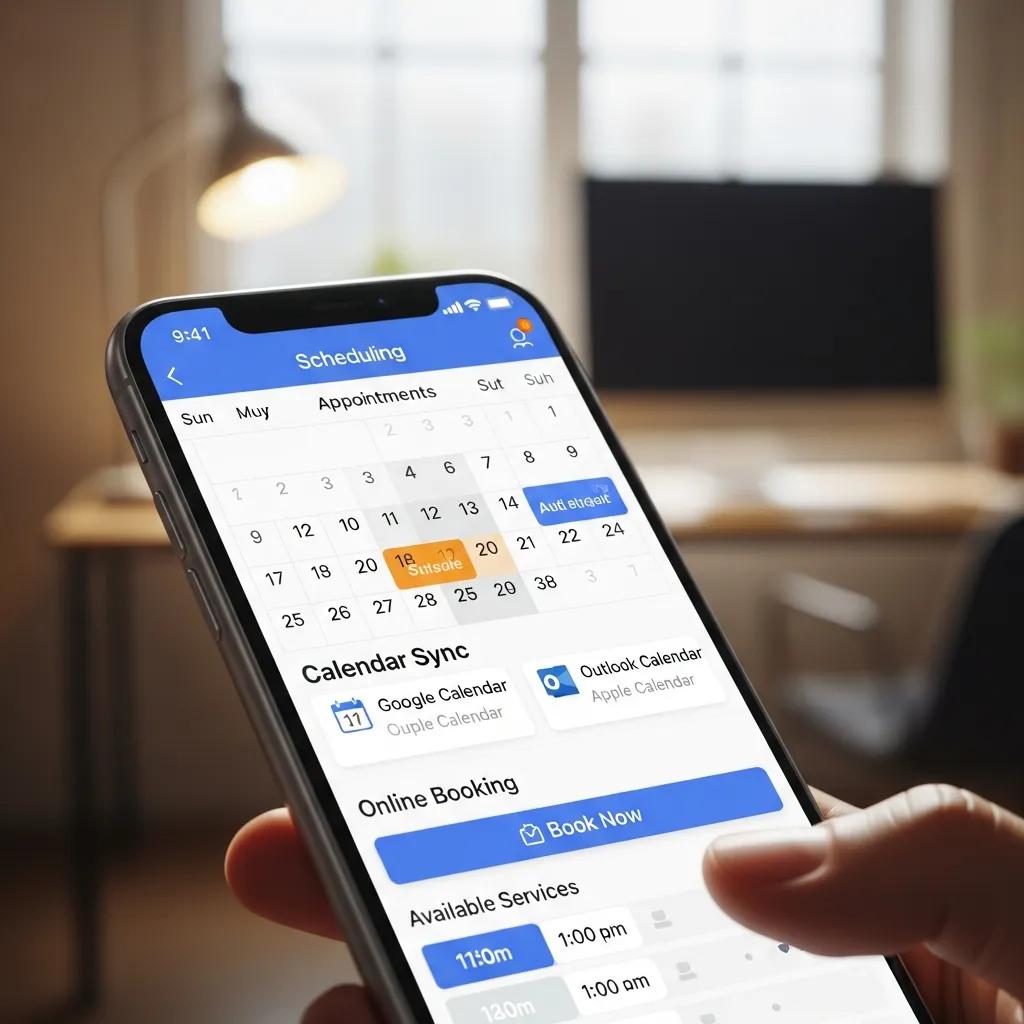
When selecting a scheduling app, it’s crucial to consider its features to ensure it meets your business needs. Here are some essential features to look for:
- Calendar Sync: The ability to sync with existing calendars (Google Calendar, Outlook, etc.) ensures that all appointments are consolidated in one place, reducing the risk of double bookings.
- Online Booking: A user-friendly online booking interface allows clients to schedule appointments at their convenience, enhancing the customer experience.
- Automated Reminders: Automated email or SMS reminders help reduce no-shows by notifying clients of upcoming appointments.
Essential Features: Calendar Sync, Online Booking, and Automated Reminders
Calendar synchronization is vital for maintaining an organized schedule. By integrating with popular calendar platforms, scheduling apps can automatically update and reflect changes in real-time. Online booking capabilities empower clients to book appointments without needing to call or email, streamlining the process. Additionally, automated reminders serve as a proactive measure to ensure clients remember their appointments, ultimately leading to higher attendance rates.
Advanced Capabilities: AI Scheduling, Payment Processing, and CRM Integration
In addition to essential features, advanced capabilities can significantly enhance the functionality of scheduling apps. AI scheduling uses algorithms to optimize appointment times based on availability and client preferences, making the booking process more efficient. Payment processing integration allows businesses to collect payments at the time of booking, reducing administrative tasks. Furthermore, CRM integration enables businesses to manage customer relationships more effectively by linking appointment data with client profiles.
What Are the Top Scheduling Apps for Different Business Needs?
Choosing the right scheduling app depends on your specific business needs. Here are some of the top options available:
- Best Appointment Scheduling Software for Small Businesses and Service Providers: Apps like Acuity Scheduling and Calendly are popular among small businesses for their user-friendly interfaces and robust features.
- Employee Shift Scheduling Software and Meeting Scheduler Apps for Teams: Tools like When I Work and Doodle cater to teams needing to coordinate schedules and meetings efficiently.
Best Appointment Scheduling Software for Small Businesses and Service Providers
Acuity Scheduling offers a comprehensive solution for small businesses, allowing clients to book appointments online while providing features like calendar sync and automated reminders. Calendly is another excellent option, known for its simplicity and ease of use, making it ideal for service providers looking to streamline their booking process.
Employee Shift Scheduling Software and Meeting Scheduler Apps for Teams
When I Work is a powerful tool for managing employee schedules, allowing businesses to create and adjust shifts easily. Doodle simplifies the process of scheduling meetings by allowing participants to vote on their preferred times, ensuring that everyone can attend.
How Can Free Scheduling Apps Meet Your Online Booking and Meeting Needs?
Free scheduling apps can be a great starting point for businesses looking to manage appointments without incurring costs. However, they often come with limitations that may affect their usability.
Comparing the Best Free Scheduling Apps and Their Limitations
Some popular free scheduling apps include Calendly and Setmore. While these apps offer basic features like online booking and calendar sync, they may lack advanced functionalities such as payment processing and CRM integration in their free plans. Businesses should evaluate their needs to determine if a free app will suffice or if a paid solution is necessary.
When to Upgrade from a Free to a Paid Scheduling Solution
As businesses grow, their scheduling needs may become more complex. Signs that it may be time to upgrade include the need for advanced features, increased appointment volume, or the desire for better customer support. Upgrading to a paid solution can provide access to enhanced functionalities that improve efficiency and customer satisfaction.
How Do Scheduling Apps Integrate with Business Workflows and Industry-Specific Solutions?
Integrating scheduling apps into existing business workflows can streamline operations and enhance productivity.
Workflow Automation: CRM, Marketing, and Project Management Integrations
Many scheduling apps offer integration with CRM systems, marketing tools, and project management software. This integration allows businesses to automate workflows, ensuring that appointment data is seamlessly transferred across platforms. For example, integrating a scheduling app with a CRM can help track client interactions and improve follow-up processes.
Industry-Specific Scheduling Apps for Healthcare, Salons, and Consulting
Certain industries benefit from specialized scheduling apps tailored to their unique needs. For instance, healthcare providers may require apps that comply with HIPAA regulations, while salons may need features for managing multiple service providers. Consulting firms might seek apps that facilitate client meetings and project management.
What Are the Emerging Trends and Future Developments in Scheduling Apps?

The scheduling app landscape is continually evolving, with new trends and technologies shaping the future of appointment management.
The Role of AI and Smart Scheduling Algorithms in Modern Apps
AI is playing an increasingly significant role in scheduling apps, with smart algorithms optimizing appointment times based on various factors, such as client preferences and historical data. This technology enhances user experience by providing personalized scheduling options that cater to individual needs.
Data Privacy, Security, and Compliance in Appointment Scheduling Software
As scheduling apps handle sensitive client information, data privacy and security are paramount. Future developments will likely focus on enhancing security measures and ensuring compliance with regulations, such as GDPR and HIPAA, to protect user data and maintain trust.
This table highlights essential features of scheduling apps that contribute to improved business efficiency and customer satisfaction.
This comparison table outlines different types of scheduling apps and their primary features, helping businesses choose the right solution for their needs.
In conclusion, scheduling apps are invaluable tools that enhance business efficiency and improve customer experience. By understanding the various types of scheduling apps, their key features, and emerging trends, businesses can make informed decisions that align with their operational needs and goals.