
Simplify Tracking with Our Electronic Time Sheet System

Electronic Timesheet Software: Complete Guide to Automated Time Tracking and Payroll Integration
Electronic timesheets are digital records that capture employee hours, attendance, and task-level allocation using manual entry, automatic timers, mobile clock-ins, or GPS verification; they automate validation and feed clean data into payroll and billing systems to reduce errors and speed processing. This guide explains how electronic timesheet systems work, which features matter most, measurable benefits, and how to integrate timesheet data with payroll, HRIS, and project management tools. Many organizations struggle with late approvals, payroll reconciliation, and inaccurate billable hours, and electronic timesheets provide an end-to-end solution by enforcing rules, preserving audit trails, and producing standardized exports. You will learn core functions, a prioritized feature checklist, quantifiable ROI examples, integration mappings for common data fields, and step-by-step implementation guidance to minimize disruption. The article covers compliance and privacy considerations for mobile and GPS tracking, decision criteria for free vs. paid apps, and practical onboarding practices that accelerate adoption and improve data quality. Read on for a structured approach to selecting, integrating, and optimizing an electronic timesheet platform to support payroll accuracy, compliant attendance tracking, and reliable project costing.
What Is an Electronic Timesheet and How Does It Work?
An electronic timesheet is a software tool that records work time and task allocation digitally, then validates and forwards that data to payroll or billing systems for automated processing. The mechanism typically combines user inputs or automated capture, rule-based validation, an approval workflow, and export or API-based integration, which together improve accuracy and reduce processing time. The practical benefit is a shorter payroll close cycle and fewer reconciliation exceptions for finance teams, with real-time visibility for managers into who is working on what. Understanding that lifecycle—capture, validate, approve, export—helps organizations design policies that match labor rules and billing needs. The next subsections spell out the core functions these platforms provide and how online timesheets directly improve attendance and time-tracking outcomes.
What Are the Core Functions of Electronic Timesheet Software?
Core functions include time entry, approval workflows, reporting, integrations, and expense linking, each designed to support payroll and project accounting. Time entry may be manual, timer-based, or automatic via idle detection; approvals enforce managerial review and build an audit trail for compliance and disputes. Reporting aggregates timesheet data into payroll-ready exports, client invoices, or utilization dashboards that finance and project managers use to analyze burn rates and profitability. Integrations enable mapped fields such as employee IDs, cost codes, and pay rates to flow into payroll or HRIS systems, reducing manual reconciliation. These functions together ensure data quality and make payroll and billing processes more predictable and auditable, which leads into the attendance-specific benefits discussed next.
How Do Online Employee Timesheets Improve Attendance and Time Tracking?
Online timesheets increase punctuality and reduce time theft by offering timestamped clock-ins, automated rounding rules, and alerts for missing or abnormal entries. For remote or field teams, mobile clock-ins and GPS verification provide location context that supports shift compliance and reduces fraudulent punch claims. Automated notifications and exception reports flag late punches, long breaks, or unapproved overtime, which shortens the window managers spend chasing corrections. The visibility created by centralized records also simplifies leave reconciliation and integrates with scheduling systems to prevent overstaffing or violations of shift rules. These attendance controls set the stage for measurable benefits in accuracy and efficiency described in the next section.
What Are the Key Benefits of Using Automated Time Tracking Solutions?
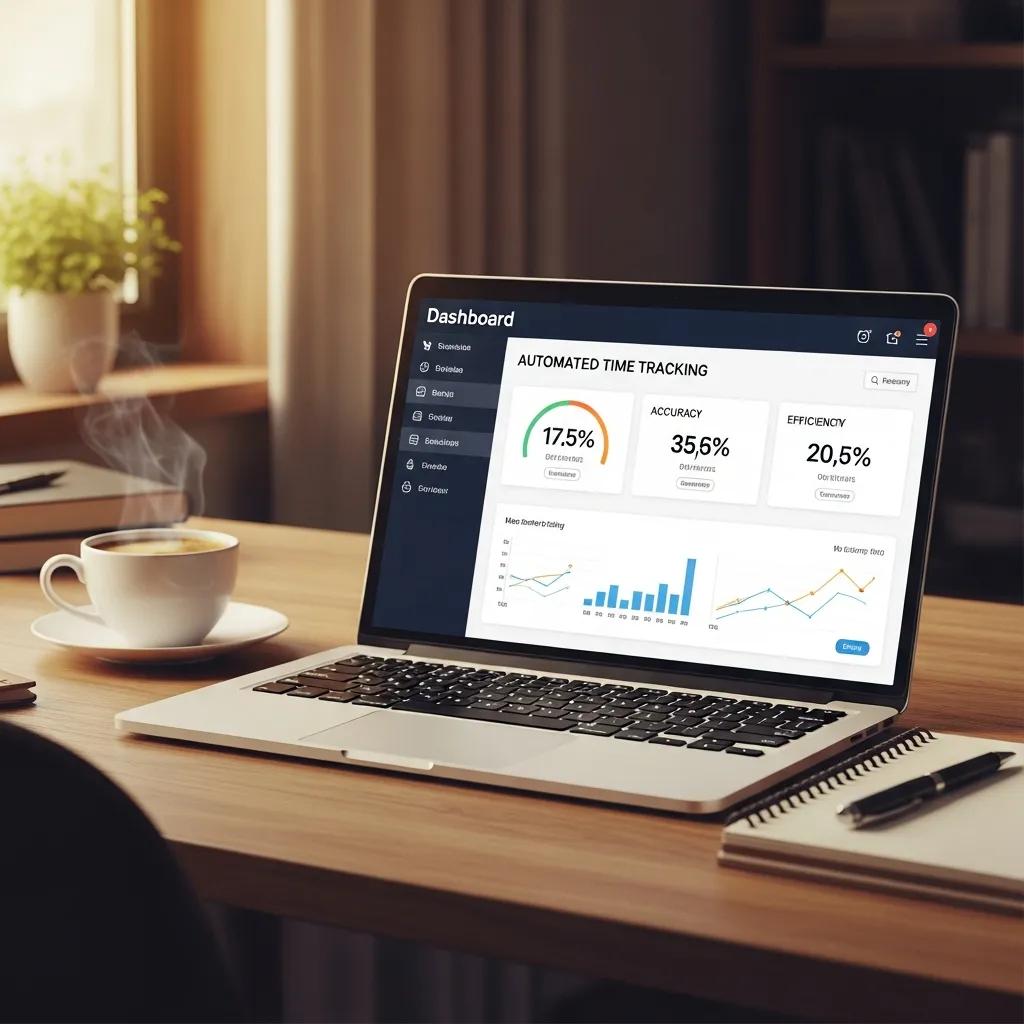
Automated time tracking solutions deliver accuracy, faster payroll cycles, improved billing, and compliance readiness by replacing manual timesheet handling with validated digital workflows. Automation eliminates transcription errors and enforces business rules like overtime rounding, shift premiums, and required breaks, which directly reduces payroll exceptions and overpayments. The transparency and reporting capabilities improve client invoicing accuracy and project profitability analysis, while audit trails and timestamped approvals help with regulatory and contract compliance. The following list summarizes primary benefits you can expect and the subsequent subsection quantifies accuracy and efficiency gains further.
- Reduced payroll errors: Automated validation decreases manual entry mistakes that lead to payroll corrections.
- Faster payroll processing: Direct exports and approvals shorten payroll close cycles and reduce late adjustments.
- Improved billing accuracy: Precise task-level tracking increases confidence in client invoices and time & materials billing.
- Regulatory compliance: Audit trails and role-based controls support labor law and contract compliance.
- Operational transparency: Real-time dashboards reveal utilization, overtime hotspots, and staffing needs.
These benefits create measurable impacts that we quantify in the EAV table below and then explain how automation achieves those outcomes.
This table highlights typical ranges; organizations will see variation based on starting processes and integration fidelity. The next subsections show the mechanisms behind accuracy gains and payroll streamlining.
How Do Electronic Timesheets Increase Accuracy and Efficiency?
Electronic timesheets increase accuracy by capturing timestamps, enforcing validation rules, and reducing manual transfers between systems, which prevents common transcription errors and duplicate entries. Efficiency gains result from standardized exports and direct API connections that eliminate manual file preparation and reconciliation tasks for payroll and accounting teams. Validation rules—such as required project codes, allowable overtime, and mandatory approvals—catch exceptions before they reach payroll, reducing costly after-the-fact corrections. Together these mechanisms reduce the time HR and finance spend on exception handling and allow staff to focus on exception resolution rather than data entry. Understanding these mechanisms leads directly into how those clean timesheets accelerate payroll and billing processes.
How Do Automated Timesheets Streamline Payroll and Billing Processes?
Automated timesheets feed validated hours and pay-rate information into payroll engines and billing systems via APIs, native connectors, or scheduled exports, which minimizes manual mapping and reconciliation. Key fields typically transferred include employee ID, date, hours, pay rate, cost code, and approval stamp; gating exports behind approvals ensures only reviewed data feeds payroll. This flow reduces reconciliation tasks, shortens payroll close, and improves accuracy of client invoices for time-and-materials engagements. A short checklist helps when mapping timesheet fields to payroll systems to avoid common pitfalls such as mismatched employee identifiers or missing pay rule mappings.
- Map employee identifiers and pay rates consistently to avoid reconciliation issues.
- Verify approval status before exporting to payroll to prevent unreviewed payments.
- Schedule regular daily exports or API synchronizations to minimize latency in payroll runs.
Following a consistent mapping and export discipline prepares organizations for integration scenarios discussed in a later section.
What Essential Features Should You Look for in Electronic Timesheet Software?
Essential features include reliable mobile time capture, GPS verification for field teams, robust approval workflows, comprehensive reporting, and native integrations with payroll, HRIS, and project management systems. Security and compliance features—such as role-based access, encryption, and immutable audit logs—are essential for meeting regulatory and contractual obligations. Usability elements like templates, rounding rules, and intuitive UIs determine adoption rates; platforms that reduce friction in entry and approvals typically see higher data quality. The table below compares core features, what they do, and the concrete benefits they deliver for different use cases.
This comparison helps prioritize features during vendor evaluation and leads into specific mobile and approval considerations below.
How Does Mobile Time Tracking and GPS Enhance Digital Attendance Management?
Mobile time tracking combined with optional GPS verification enables organizations to confirm on-site presence for field technicians, service workers, and remote staff while maintaining a timestamped record for payroll and billing. GPS can be configured to verify location only during clock-in/out or periodically during a shift, balancing operational needs and privacy concerns. Best practices include transparent consent policies, location sampling rather than continuous tracking, and clear data retention rules to comply with privacy regulations. These controls help organizations meet contractual verification needs while reducing pushback from employees, and the next subsection explains how approval workflows and expense integrations complement mobile capture.
What Are Timesheet Approval Workflows and Expense Management Integrations?
Approval workflows route timesheets through designated reviewers, enforce exception handling, and create an immutable audit trail that auditors and payroll teams can trust. Workflows may include multi-level approvals, auto-escalation on missed approvals, and exception queues for disputed hours, which together ensure payroll integrity. Expense integrations link reimbursable costs to time entries or projects, simplifying client billing for time-and-materials engagements and reducing double-entry. Mapping approvals to roles and triggers—such as billable flag or overtime threshold—helps automate common decisions and reduces manual oversight, which sets up better integration with payroll and project accounting systems covered next.
How to Choose the Best Electronic Timesheet Solution for Your Business?
Choosing the right solution begins with a clear assessment of company size, industry requirements, existing tech stack, and budget constraints, then mapping those needs to vendor features and integration capabilities. Evaluate required integrations with payroll, HRIS, and project management tools, and test export formats or APIs during any proof-of-concept to validate data mappings. Consider security, support, and scalability—especially if you manage shift-based work, union rules, or high-volume field operations—and weigh free tiers against paid plans based on feature gaps and support expectations. The checklist below helps structure vendor comparisons and clarifies upgrade signals that justify moving from a free plan to a paid tier.
Use this checklist when comparing solutions:
- Integration compatibility: Confirm API or export formats match payroll/HRIS requirements.
- Compliance features: Check for audit logs, role-based access, and configurable rules.
- Usability & adoption: Review mobile UX, templates, and approval simplicity.
- Support & SLAs: Ensure timely support and update cadence for enterprise needs.
- Pricing & upgrade path: Compare limits on users, projects, and integrations across tiers.
This selection checklist frames the next two subsections, which contrast free vs. paid choices and detail how industry needs shape your decision.
What Are the Differences Between Free and Paid Timesheet Apps?
Free timesheet apps often provide basic time entry and simple reporting but limit integrations, user counts, historical retention, and support responsiveness; upgraded paid tiers typically add API access, advanced reporting, security controls, and priority support. Organizations that require payroll integration, sophisticated approval routing, or audit-grade data retention generally find paid tiers justify the investment through reduced reconciliation time and improved compliance. Buying signals for upgrade include recurring reconciliation work, high dispute volumes on client billing, or the need to support complex pay rules and integrations. Assessing those signals helps determine whether a free solution suffices or a paid plan yields a positive ROI for your organization.
How Do Industry-Specific Needs Affect Timesheet Software Selection?
Industry-specific requirements—such as job costing for construction, shift and overtime rules for healthcare, or client confidentiality for legal services—demand tailored features like cost-code hierarchies, rounding and premium pay rules, and stronger access controls. Construction and consulting businesses prioritize robust job costing and progress-based billing, healthcare needs precise shift and overtime enforcement, and professional services focus on accurate billable-hour capture and client-level reporting. Asking targeted vendor questions about support for union rules, electronic visit verification, and professional-services rates reveals whether a solution can meet your vertical constraints. These industry considerations directly influence integration choices discussed in the next H2.
How Can Electronic Timesheets Integrate with Payroll, HRIS, and Project Management Systems?

Electronic timesheets integrate via APIs, file exports (CSV/SFTP), or native connectors to synchronize hours, pay rates, cost codes, and approvals with payroll, HRIS, and project management systems, improving accuracy and reducing manual work. Integration benefits include fewer reconciliation errors, automated wage calculations, and real-time project cost visibility that supports forecasting and billing. Successful integrations require mapping key data fields, agreeing export cadence, and handling edge cases such as retroactive rate changes or split-shift records. The integration mapping table below outlines typical fields and implementation notes that help technical teams and payroll administrators plan a smooth connection.
What Are the Benefits of Timesheet Payroll Integration?
- Automated wage calculations: Proper rate mappings enforce overtime and premiums automatically.
- Reduced reconciliation: Validated exports minimize manual adjustments and audit items.
- Faster close: Shorter processing cycles free payroll staff for higher-value tasks.
As an example, a finance team that replaces manual spreadsheets with direct exports often reports shorter reconciliation windows and fewer post-payroll corrections, which improves both accuracy and morale for payroll staff. This operational uplift naturally leads into project-level benefits of integration next.
How Does Integration Improve Project Time Tracking and Workforce Management?
When timesheet data flows into project management systems, teams gain accurate burn-rate data, visibility into remaining budgets, and better resource allocation for current and upcoming work. Real-time allocation enables proactive reassignments and prevents cost overruns by surfacing trends in utilization and unapproved overtime early. Integrated datasets also make forecasting more accurate because project managers can compare planned hours to actuals without manual consolidation. These project-level improvements depend on consistent cost-code mapping and timely synchronization, which underscores the importance of implementation planning discussed in the final section.
How to Implement and Optimize Electronic Timesheets for Maximum Productivity?
Implementation follows a phased approach: plan and map requirements, pilot with a representative team, iterate on configurations, and roll out broadly with training and support. Optimization focuses on configuring validation rules, automating approvals for low-risk cases, and scheduling regular audits of timesheet quality and exceptions. Key KPIs to monitor include payroll reconciliation time, percentage of approved timesheets before payroll, billing dispute rates, and employee adoption metrics. The next subsections provide a concise onboarding checklist and the security and privacy controls necessary to protect data and comply with regulations.
What Are Best Practices for Onboarding Employees to Electronic Timesheet Systems?
Onboarding succeeds when organizations pilot with a small representative group, provide clear step-by-step guidance, and collect rapid feedback to refine templates and workflows before a full rollout. Training should combine short how-to guides, recorded demos, and live sessions focused on common tasks like mobile clock-ins, project allocation, and approval responses to build confidence. Establishing a clear feedback loop and designated champions within teams speeds adoption and surfaces configuration issues early. Finally, measure adoption through simple KPIs and iterate training based on common errors or support tickets to keep momentum and improve data quality over time.
How Do Data Security and Privacy Impact Timesheet Management?
- Encrypt data in transit and at rest to prevent unauthorized access.
- Use role-based access controls to limit who can view payroll and location data.
- Publish clear GPS and data retention policies so employees understand what is collected and why.
These security and privacy steps complete the operational view necessary to run electronic timesheets effectively and responsibly.