
Upgrade to an Electronic Timekeeping System Today

Comprehensive Guide to Timekeeping Systems: Choosing, Using, and Optimizing Employee Time Tracking Software
Accurate timekeeping systems are the foundation of reliable payroll, compliant labor practices, and effective workforce planning. This guide explains what a timekeeping system is, how modern employee time tracking software records hours, and why organizations invest in cloud-based, biometric, and mobile solutions to reduce errors and prevent time theft. Readers will learn the different system types, the core and advanced features that improve payroll accuracy and scheduling, and practical steps to select, implement, and optimize a solution for hybrid and shift-based teams. The article maps common integration patterns with payroll and HR systems, examines biometric and geo-fencing methods for secure clock-ins, and offers an implementation checklist to drive adoption and compliance. Throughout, keyword variations such as employee timekeeping system, electronic timekeeping system, and cloud-based timekeeping are used to connect concepts and support decision-making for HR, payroll, and operations teams.
What Is a Timekeeping System and Why Is It Essential for Workforce Management?
A timekeeping system is software and hardware that captures employee work hours, validates those records, and delivers aggregated timesheets for payroll and reporting. It works by collecting clock-in and clock-out events—via badge, biometric scan, mobile app, or manual entry—then applying rules such as rounding, overtime, and break deductions to produce audited records. The result is greater payroll accuracy, reduced labor costs from time theft, and an audit trail that supports labor law compliance. Accurate time and attendance software reduces payroll errors and administrative overhead while enabling managers to make staffing decisions based on real-time utilization data. Understanding how systems record and validate time leads naturally into the next section explaining tracking methods and data flows that underpin reliable time records.
How Do Timekeeping Systems Track Employee Attendance and Work Hours?
Timekeeping systems track attendance by capturing event data at the point of service, validating identity, and synchronizing records to a central database for processing. Typical data flows include device-level capture (badge, biometric, mobile), initial validation (ID match, geo-fence check), transmission to the cloud or on-premises server, application of business rules (overtime, premiums), and generation of timesheets and exception reports for payroll reviewers. This flow ensures that raw clock events become normalized pay-ready records through automated checks and approval workflows. For example, a mobile clock-in will include employee ID, timestamp, GPS coordinates, and device metadata; those fields feed automated compliance checks before a payroll export is created. These mechanics are the foundation for choosing the right system type based on workforce geography and regulatory needs.
What Are the Different Types of Timekeeping Systems?
Timekeeping systems fall into defined categories—manual, electronic badge or RFID, biometric time clocks, mobile apps with geo-fencing, and cloud-based platforms—each optimized for particular use-cases. Manual systems rely on paper timesheets and are low-cost but error-prone; electronic badge systems improve speed and reduce buddy punching risks moderately; biometric systems increase identity assurance; mobile apps add flexibility for remote or field workers; cloud-based solutions centralize data and support integrations. Selecting among these types requires balancing cost, accuracy, scalability, and industry-specific constraints such as hygiene or remote access. The following table compares these approaches across practical attributes to clarify trade-offs and typical fits.
Introductory comparison of common timekeeping system types, their device/platforms, and best-fit scenarios.
This table clarifies that cloud-based and biometric options dominate when accuracy, auditability, and integrations are primary goals. The next section explores the feature set that drives those outcomes.
What Are the Key Features and Benefits of Modern Time Tracking Software?
Modern time tracking software includes core modules—clock-in/out, timesheet generation, approvals, and reporting—and advanced capabilities such as geo-fencing, biometric integration, overtime engines, and API connectors. These features translate into measurable benefits: payroll accuracy, reduced time theft, automated compliance, and data-driven scheduling. Feature sets also map to operational outcomes: centralized reporting reduces reconciliation time, and automated overtime rules cut accidental premium pay. Below is a focused mapping that links common features to why they matter and the business impact they deliver.
This feature-to-benefit matrix shows how specific capabilities support payroll accuracy, compliance, and productivity.
These features collectively create robust, auditable time records that feed payroll and HR workflows; the next subsection examines features that specifically improve payroll accuracy and compliance.
Which Features Improve Payroll Accuracy and Labor Law Compliance?
Features focused on payroll accuracy include automated overtime and break rules, immutable audit logs, and pre-export validation checks that flag exceptions before processing. Automated rule engines interpret FLSA-style parameters and local labor laws to calculate premiums and ensure compliant pay calculations, while audit trails record who changed entries and when for post-payroll reviews. Payroll export connectors reduce manual copy-paste errors by transmitting validated timesheet data directly to payroll systems or through secure flat files and APIs. Implementing these controls significantly reduces payroll corrections and supports defense during audits, and organizations should prioritize systems with robust rule sets and clear exception workflows to maintain compliance.
This attention to compliance naturally complements features that improve scheduling and productivity, which we discuss next.
How Do Timekeeping Systems Enhance Employee Productivity and Scheduling?
Timekeeping systems enhance productivity by combining scheduling tools, shift-swapping capabilities, and utilization analytics that reduce understaffing and overstaffing. Forecasting modules analyze historical attendance and workload to suggest optimized shift patterns and identify peak labor needs, while self-service scheduling empowers employees to trade shifts within policy constraints. Managers gain visibility into labor utilization rates and exception patterns, enabling targeted coaching and staffing adjustments. These capabilities lower labor cost while preserving service levels, and integrating scheduling with time capture ensures that planned shifts align with actual hours worked, reducing friction between planning and payroll.
How Does Biometric Timekeeping Technology Improve Security and Accuracy?

Biometric timekeeping improves accuracy and security by tying a unique physiological or behavioral identifier to each clock event, making impersonation difficult and strengthening audit trails. Biometric scanners—when combined with liveness detection and encrypted templates—reduce common forms of time theft such as buddy punching and forged timesheets. The technology maps an identity (employee) to a verified biometric sample, then records a timestamped event that is immutably logged in the system. While biometrics increase identity assurance, privacy, enrollment logistics, and hardware costs are important implementation considerations that organizations must address before rollout.
What Are the Common Biometric Methods Used in Time Clocks?
Common biometric modalities in time clocks include fingerprint, facial recognition, iris scanning, and vein-pattern recognition, each with distinct accuracy and deployment characteristics. Fingerprint readers are widely used because of lower hardware cost and fast capture times, but they can be affected by soiled fingers in certain industries. Facial recognition is contactless and suitable for hygiene-sensitive environments, though it requires strong anti-spoofing and lighting considerations. Iris and vein recognition offer higher accuracy and resistance to spoofing but come with higher acquisition and maintenance costs. Selecting the right modality depends on accuracy requirements, employee population, and environmental conditions at clock locations.
These modality choices lead directly to how biometric systems prevent fraud and ensure trustworthy records, which we explain next.
How Do Biometric Systems Prevent Time Theft and Buddy Punching?
Biometric systems prevent time theft by performing identity verification rather than simple identification tied to a token, and by incorporating liveness detection and tamper-resistant logging to ensure events are genuine. Verification compares a presented biometric sample to a stored template and confirms the match before accepting a clock event; liveness checks distinguish a live person from a photo or replay. Systems also timestamp and record device metadata and location, creating an immutable audit trail for each event. Combined with policy controls—such as limits on remote clock-ins—biometric measures reduce fraudulent entries and make post-event audits straightforward and reliable.
How Do Cloud-Based and Mobile Timekeeping Systems Support Remote and Hybrid Workforces?
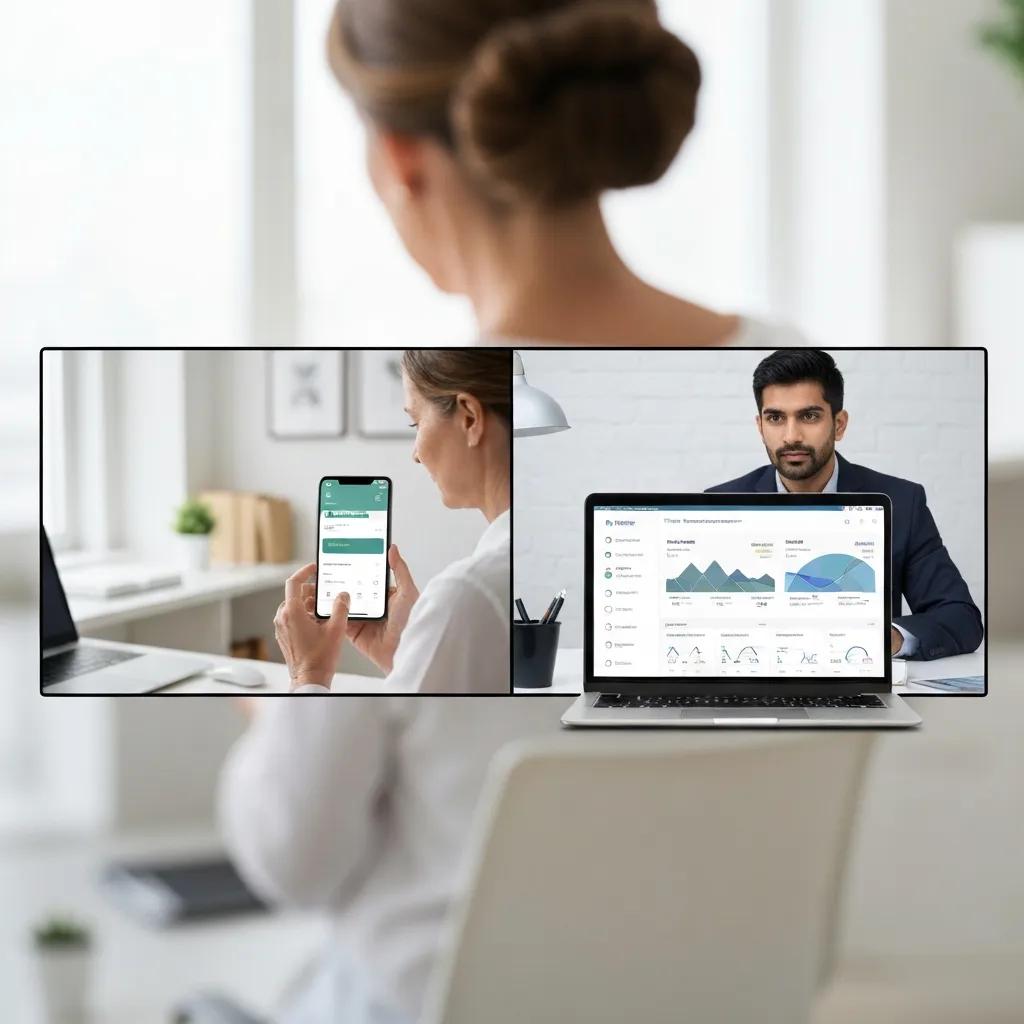
Cloud-based and mobile timekeeping systems support distributed teams by providing real-time access to validated time data, automated backups, and centralized configuration for policies and rules. The cloud architecture enables multi-site management, faster feature deployment, and vendor-managed security updates, while mobile apps provide flexibility for remote and field workers to clock in with GPS, QR codes, or NFC. These capabilities allow managers to monitor attendance across geographies and maintain compliance for hybrid work arrangements. When evaluating cloud and mobile options, organizations should consider data encryption, tenant isolation, and offline reconciliation workflows for intermittent connectivity.
What Are the Advantages of Cloud Timekeeping for Accessibility and Data Security?
Cloud timekeeping offers anywhere access to time and attendance data, centralized administration for scheduling and policies, and managed data protection such as encryption and backups. Vendors can deploy security patches and new features centrally, reducing the operational burden on internal IT teams and ensuring consistency across locations. Built-in redundancy and secure backups lower the risk of data loss, and role-based access controls minimize unauthorized data exposure. These advantages make cloud solutions appealing for organizations with distributed workforces, while migration planning should address data export formats and historical record reconciliation.
How Do Mobile Apps Enable Flexible and Geo-Fenced Employee Clock-Ins?
Mobile apps enable flexible clock-ins using GPS coordinates, geo-fencing boundaries, QR codes, and NFC while supporting offline capture with later synchronization. Geo-fencing defines a permitted area for clock-ins and rejects or flags attempts outside authorized zones; QR codes or NFC can add proximity verification for on-site checks. Offline capture allows field employees to record time when connectivity is unavailable, with secure reconciliation workflows that validate data once the device reconnects. Privacy disclosures and employee consent for location data are essential to maintain trust and comply with regulations; implementing a clear testing checklist helps ensure accuracy and user acceptance.
How Do Timekeeping Systems Integrate with Payroll and HR for Streamlined Operations?
Timekeeping systems integrate with payroll and HR through flat-file exports, direct API connectors, or native payroll integrations that transfer validated timesheet data and employee attributes for automated processing. Integration types vary in complexity: flat files are simple but require mapping, APIs enable real-time validation and error feedback, and connectors offer pre-built mappings to common payroll systems. Typical data passed includes employee identifiers, approved hours, earnings codes, and exception flags; integration reduces manual entry, speeds payroll cycles, and preserves traceability for audits. Understanding these integration patterns helps organizations plan validation checks and reconciliation routines before go-live.
Introductory matrix summarizing integration types, data passed, and common connector examples.
This integration matrix highlights that API and native connectors minimize manual intervention and support tighter validation. Next, we examine direct payroll benefits and HR reporting capabilities.
What Are the Benefits of Payroll Integration Software in Timekeeping?
Payroll integration reduces manual data entry, lowers the incidence of payroll errors, and shortens payroll processing time by automating transfer of approved timesheets to payroll systems. Automated validation checks can flag missing approvals, negative balances, or policy exceptions before funds are processed, reducing costly payroll corrections. In addition, integration preserves detailed audit logs that link pay calculations to original clock events and approval workflows, simplifying compliance reviews. Organizations should measure ROI by tracking reduced payroll corrections, faster payroll close times, and decreased administrative hours following integration.
These payroll gains also feed into HR reporting and compliance workflows, which we discuss next.
How Do Timekeeping Systems Support HR Reporting and Labor Law Compliance?
Timekeeping systems supply HR with standard and custom reports—overtime summaries, attendance exceptions, accrual balances, and utilization dashboards—that support analytics and compliance monitoring. Alerts and exception workflows notify HR of violations or trends, enabling proactive remediation before they become audit findings. Retention policies and secure access controls ensure that historical time records are available for statutory audit periods while protecting sensitive data. Implementing exception reporting and scheduled compliance audits closes the loop between time capture and HR governance, enabling defensible positions during regulatory reviews.
What Are the Best Practices for Implementing and Optimizing a Timekeeping System?
Effective implementation follows a structured roadmap: define business and regulatory requirements, select vendors based on integrations and scalability, run a pilot with representative users, train stakeholders, and iterate using KPIs and audit findings. Change management—clear policies, role definitions, and communication—drives adoption, while pilot feedback surfaces configuration and user experience issues before full rollout. Continuous optimization includes monitoring key metrics such as timecard submission rates, exception volumes, and payroll correction counts, and then refining rules and training to reduce friction. These steps create a sustainable improvement cycle linking timekeeping to operational performance.
Below is a practical selection and rollout checklist to guide decision-makers through the process.
- Define requirements: Document workforce types, labor rules, integration needs, and security expectations.
- Shortlist vendors: Evaluate API support, biometric options, mobile capabilities, and reporting features.
- Pilot with a representative group: Test devices, geo-fencing, and payroll exports in real-world conditions.
- Train and communicate: Provide role-based training and publish clear timekeeping policies.
- Monitor KPIs: Track adoption, exceptions, and payroll corrections to guide iterative improvements.
- Enforce and audit: Run periodic audits and adjust rules or training based on findings.
This checklist delivers a repeatable path from selection through adoption and continuous optimization. The final subsections help refine selection criteria and adoption measures.
How to Choose the Right Timekeeping System for Your Business Needs?
Choose a timekeeping system by matching scale, workforce type, and regulatory complexity to vendor capabilities such as API integrations, biometric modalities, and mobile features. Key criteria include compatibility with existing payroll and HRIS, support for local labor rules, vendor security and data residency assurances, and total cost of ownership that includes hardware, licenses, and implementation services. A trade-off matrix helps prioritize needs: high-accuracy and auditability favor biometric and cloud solutions, while low-cost and simplicity may favor electronic badges for small teams. Define pilot success criteria—error rates, user acceptance, and integration stability—before committing to full deployment.
What Steps Ensure Successful Timekeeping System Adoption and Compliance?
Successful adoption requires clear policy definition, role assignment for approvals and audits, robust training, and a feedback loop during pilots to address usability and compliance issues. Establish measurable KPIs—percent on-time timesheet submissions, number of exceptions per pay cycle, and payroll correction rates—and report them to stakeholders monthly during early adoption. Provide quick reference guides and in-app help to reduce support calls, and use phased rollouts to reduce disruption. Finally, schedule routine audits and policy reviews to keep rules aligned with evolving labor regulations and operational practices.
This implementation framework ensures that selection, rollout, and ongoing governance work together to deliver accurate payroll, compliant records, and optimized staffing based on reliable timekeeping data.